
What is Roblox?
A Complete & Detailed English Article
Roblox is an online gaming and game-creation platform where millions of people play and make games every day. Launched in 2006, it has grown into the largest user-generated gaming universe in the world. On Roblox, players use their imagination to build new experiences — adventure, horror, racing, action, roleplay and more!
✅ How Does Roblox Work?
Roblox is not just one game — it is a platform filled with thousands of games, which are called “Experiences.”
| eature | Explanation |
|---|---|
| Games | Created by users from around the world |
| Game Engine | Roblox Studio |
| Currency | Robux |
| Community | Friends, chat, marketplace, events |
Anyone can create a game, publish it, and millions of players can join!
🎮 What Can You Do on Roblox?
- Play thousands of games for free
- Customize your avatar with outfits & accessories
- Voice + Text chat with friends
- Learn game development
- Earn Robux and convert into real money
- Join events, challenges & virtual concerts
Roblox = Entertainment + Creativity + Career Opportunity
⭐ Most Popular Roblox Games
A few of the biggest hits:
- Adopt Me! – adopt & trade pets
- Brookhaven RP – city life roleplay game
- Blox Fruits – anime-style battles
- Pet Simulator X – collect & upgrade pets
- Arsenal – fast shooting action
New games go viral every week!
👦 Who Plays Roblox?
Roblox is popular among all age groups, especially:
- Kids & Teens (9–18 years)
- But many adult developers lead the platform
Roblox gives parental controls for kids’ safety.
🌍 Roblox Community & Events
Roblox collaborates with:
- Marvel, FIFA, Sonic, NFL and more
- Big music artists — Lil Nas X, KSI, 24kGoldn
- Virtual holidays & metaverse events
It’s shaping the future of virtual worlds.
✅ How to Redeem Robux on Roblox
Step-by-Step English Guide (2025 Updated)
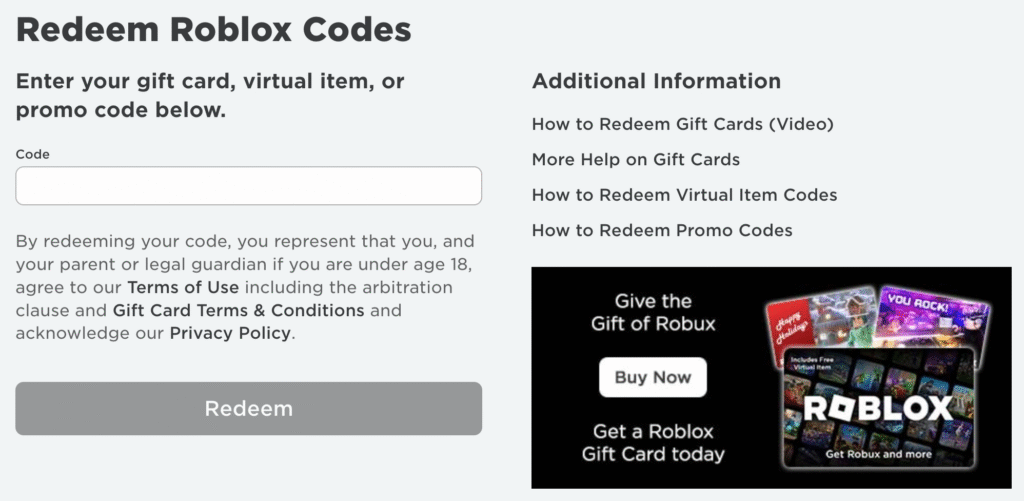
Robux can be redeemed using:
- Gift Card Code
- Digital Robux Code
- Roblox Premium Card
Follow the correct method below 👇
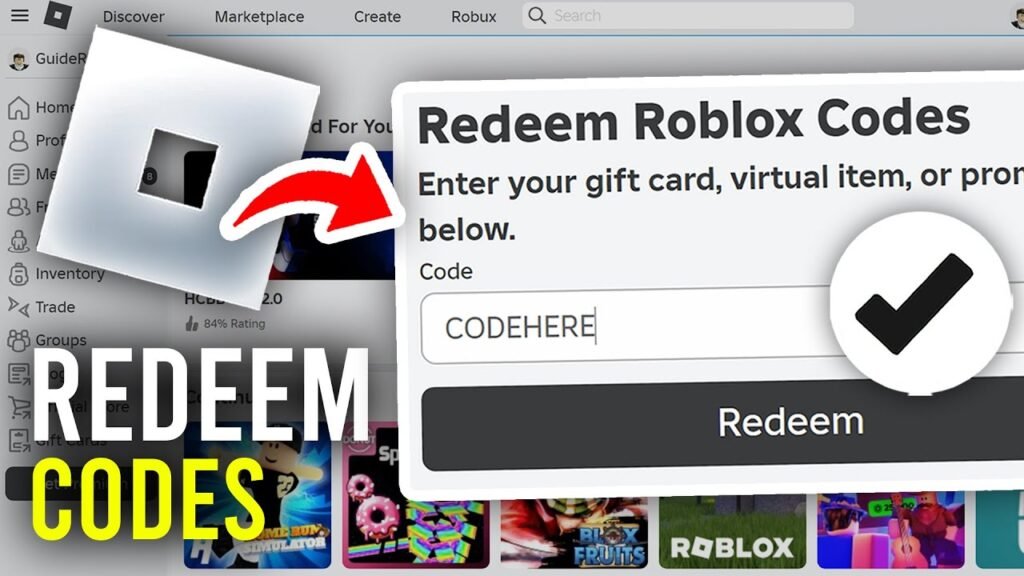
👉 Steps:
- Open a browser (Chrome/Safari/etc.)
- Go to the official Roblox Redeem Page:
👉 roblox.com/redeem - Sign in to your Roblox account
- Enter your Robux Gift Card Code
- Click Redeem
- Tap Redeem to add to your balance
- Refresh — Robux will appear in your account 🎉
✔ Works on Mobile, PC, Laptop
❌ Cannot redeem from the Roblox app
📱 Method 2: Redeem Using Microsoft Store Version
(For Windows PC Users)
If you downloaded Roblox from Microsoft Store:
- Open Microsoft Store
- Go to Payment & billing
- Click Redeem a code
- Enter your Robux code
- Robux will be added to your Roblox account
🏪 Method 3: Physical Gift Card (Stores)
If you bought a card from stores like:
- Walmart
- Target
- Amazon
- GameStop
Scratch the back → enter that code on roblox.com/redeem
🔔 Tip: Some cards give bonus items — claim them from Inventory → Accessories
🛍 Method 4: Digital eGift Codes
If you bought from:
- Amazon
- Roblox official website
- PayPal store
You will get a digital code on email → redeem on browser only ✅

✅ Final Summary
| Device | Where to Redeem |
|---|---|
| Mobile Browser | roblox.com/redeem |
| PC/Laptop Browser | roblox.com/redeem |
| Microsoft Store version | Microsoft Store → Redeem Code |
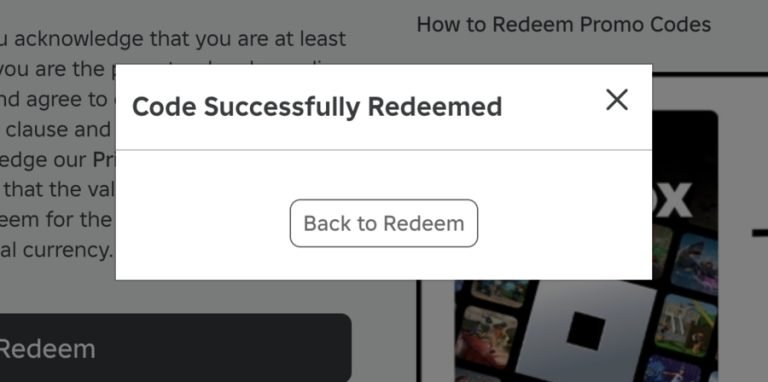
Once redeemed → Robux is instantly added to account balance! 🎉